
Uninstall Bold Discounts from Your Store
Before removing Bold Discounts from your store, it is important to turn off any active discount groups and allow them to complete their sync. This allows the app to fully revert your prices back to their original state. If this step is skipped, your prices remain discounted and need to be reverted manually.
Bold Discounts does not require a theme integration in order to apply discounts to your products. Removing the code is only necessary if you have a Legacy Liquid Code install for the Duplicate & Hide feature and you are looking to use an app that may conflict with this.
Uninstalling Bold Discounts from your store effectively cancels your app subscription and stops further billing.
Note: If you are removing the app in result of a feature or setting complication, or are having troubles with functionality, please reach out to our Customer Success team and let us know. We are here to help!
Steps
1. Turn Off All Active Discount Groups
Turning off your active discount groups before removing the app is an important step to allow your prices to revert to their original state before removing the app from your store.
To turn off all active discount groups, please follow the steps below.
From the Shopify admin, select Apps.
Select Bold Discounts.
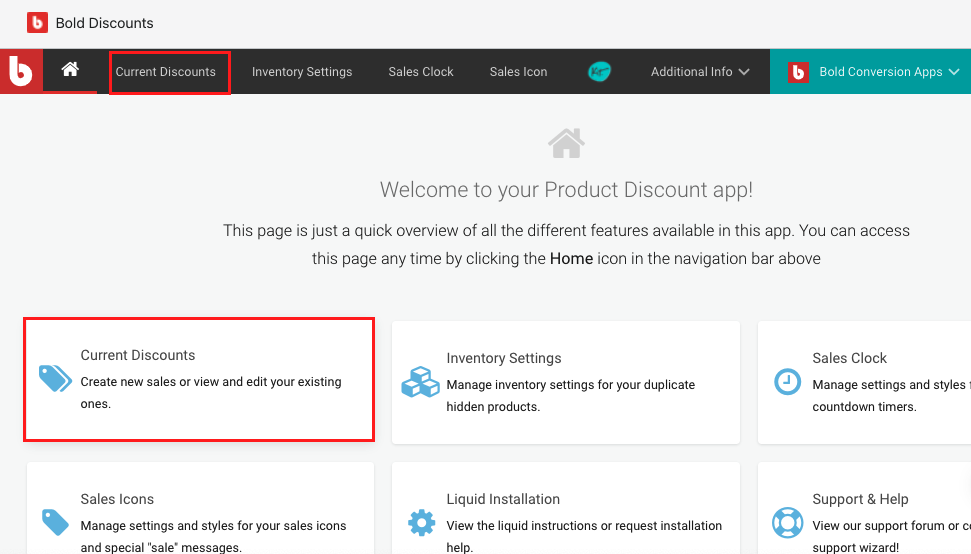
Select Current Discounts.
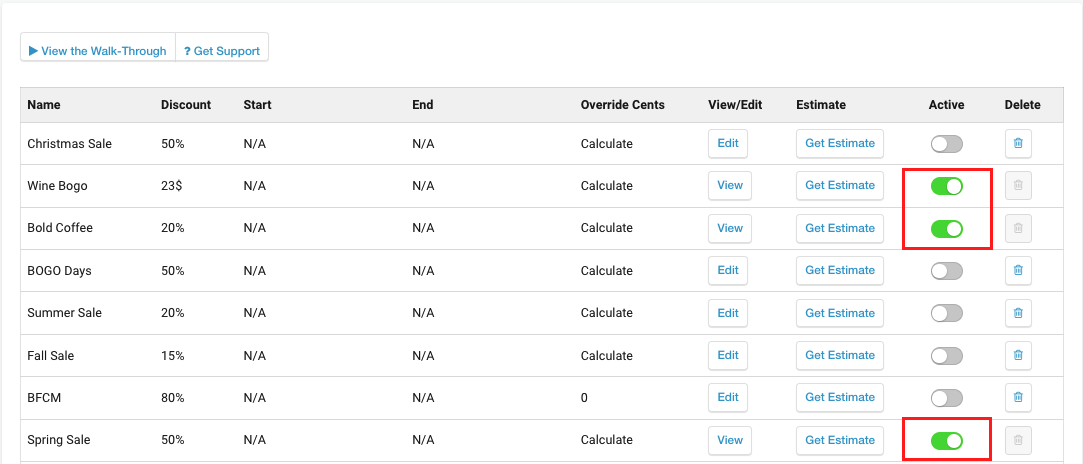
Toggle off any groups that are green.
Wait for the sync to complete.
2. Remove Discounts from your Shopify Admin
To remove Bold Discounts from your store, simply navigate to your Shopify Settings > Apps and sales channels, and select uninstall next to Bold Discounts.
Uninstalling Bold Discounts from your store effectively cancels your app subscription and stops further billing.
3. Remove Discounts Liquid Code from your Theme
Removing the code is only necessary if you have a Legacy Liquid Code install for the Duplicate & Hide feature and you are looking to use an app that may conflict with this. You can visit the Legacy Liquid Code Installation Instructions to find remove the relevant snippets, files, and code found in your theme files.
Note: Manual code removals require knowledge of the Shopify Liquid code. Please complete code removals on a backup copy of your theme. This allows you to thoroughly test the results before going live.
If you need help removing the Liquid code, please reach out to our Customer Success team.