Create & Manage Discounts
Using discount groups, rePete allows you to create tiered discounts for customers who reorder products through rePete.
This article shows you how to create, edit, and delete discount groups.
Create a discount group
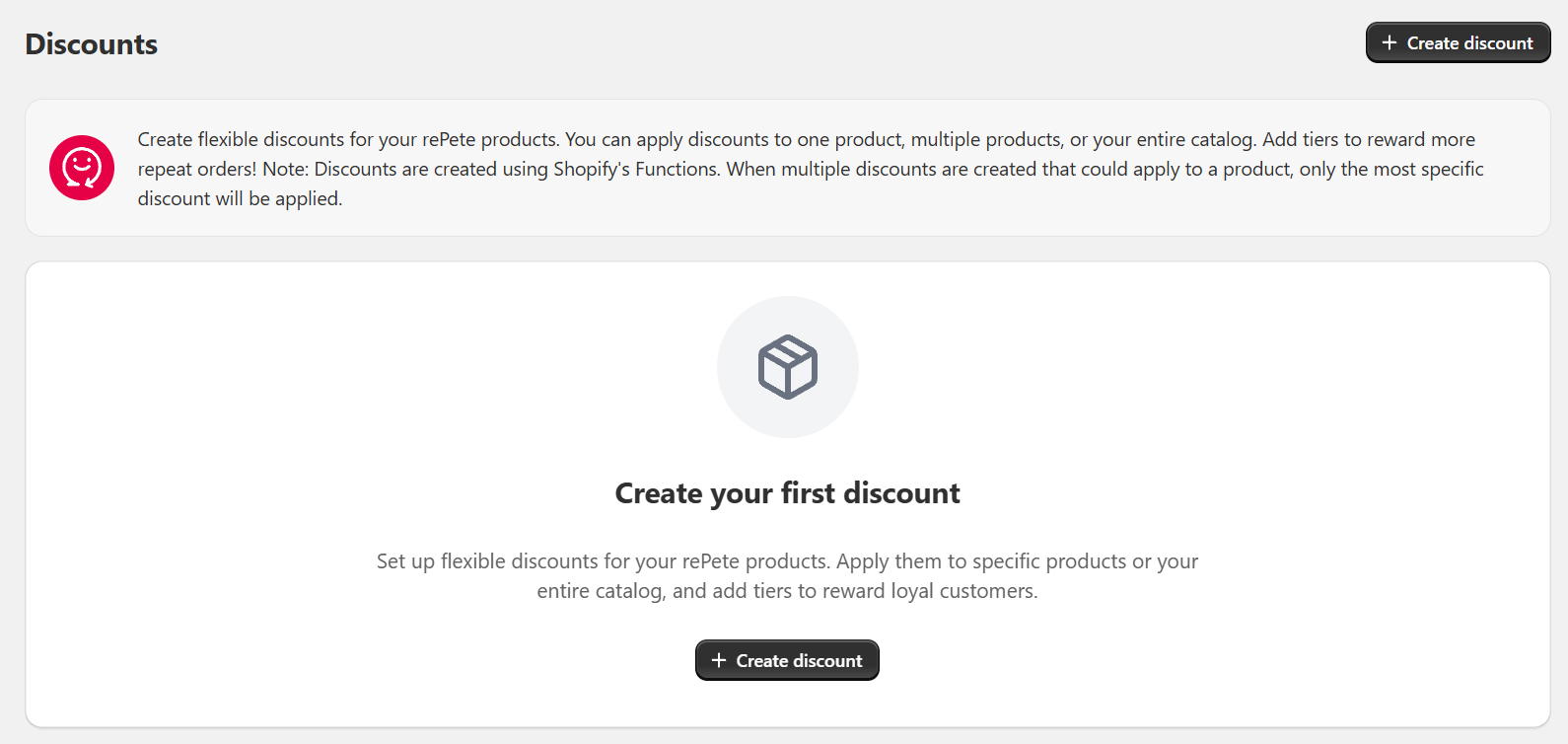
To create a new discount group, navigate to the Discount page in rePete and click Create Discount.
To set up your discount, follow the steps below.
-
Go to the discounts page in the rePete admin and click Create Discount.
-
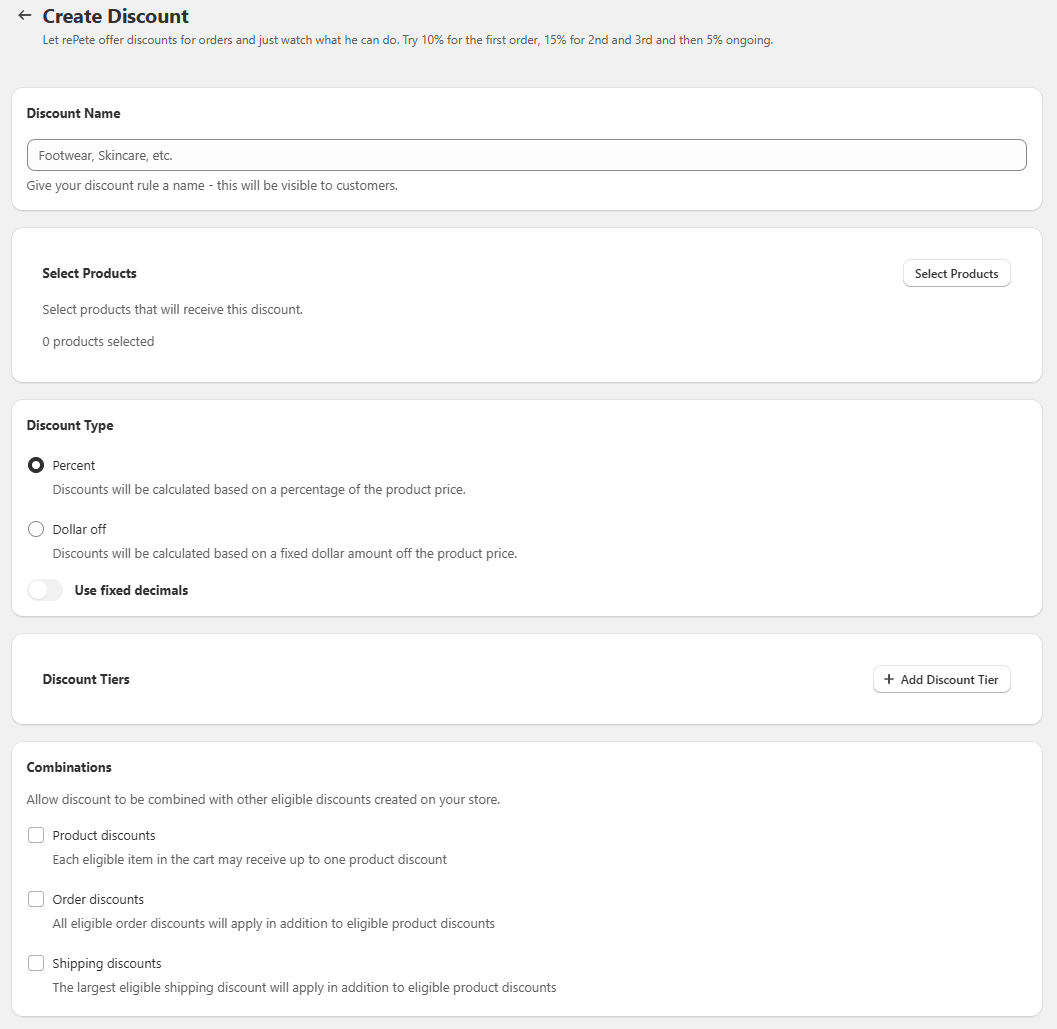
Enter your discount name. This name is visible to customers.
-
Select the products you want to include in this discount.
-
Choose whether to offer a percentage-off or dollar-off discount.
-
Click Add discount tier. This is where you set your discounts. You can add additional tiers to offer different discounts for different order amounts. See rePete Discounts Overview for more information on how tiered discounts work.
-
Optional: Allow discount stacking with other Shopify discount types. See rePete Discounts Overview for more information on how discount stacking works.
Edit a discount group
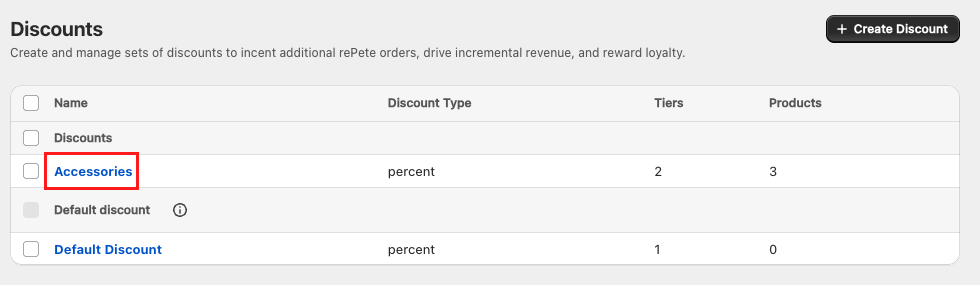
To edit a discount group, navigate to the Discount page in rePete and click on the name of the group you’d like to edit.
Delete a discount group
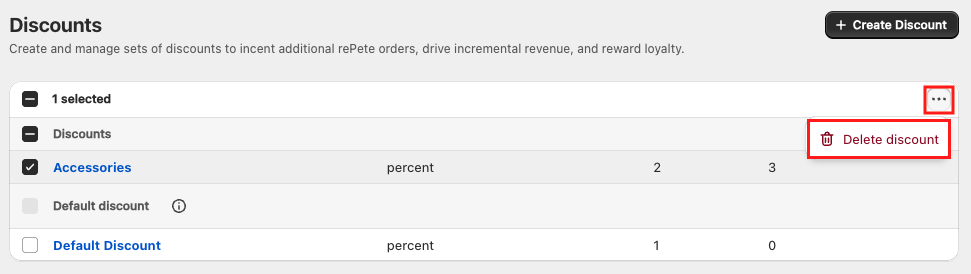
To delete a discount group, follow the steps below.
-
In rePete, navigate to Discounts.
-
Check the box next to the discount group you would like to delete.
-
In the top right corner of the section, click on the ellipsis (three dots), and select Delete discount.