Klaviyo & rePete
rePete can integrate directly with Klaviyo so you can use rePete events inside your Klaviyo flows and automations.
Note: This article explains how the direct Klaviyo integration works. If you prefer to connect to Klaviyo using Shopify Flow, please visit rePete & Shopify Flow. Access to rePete trigger events are the same for both methods.
How it works
When connected, rePete sends a reorder nudge event to Klaviyo. You can use this event to trigger or control messaging flows inside Klaviyo.
For example, you may choose to:
-
Trigger custom email or SMS sequences.
-
Add customers to specific Klaviyo flows.
-
Coordinate messaging with other marketing automations.
How events are used depends on how your Klaviyo flows are configured.
Important considerations
When using the Klaviyo integration, rePete sends timing signals (reorder nudge events) only. rePete generated messaging is not used when this integration is enabled.
Setup
To connect Klaviyo to rePete, please follow the steps below.
-
In Klaviyo, navigate to your account settings.
-
Click API keys.
-
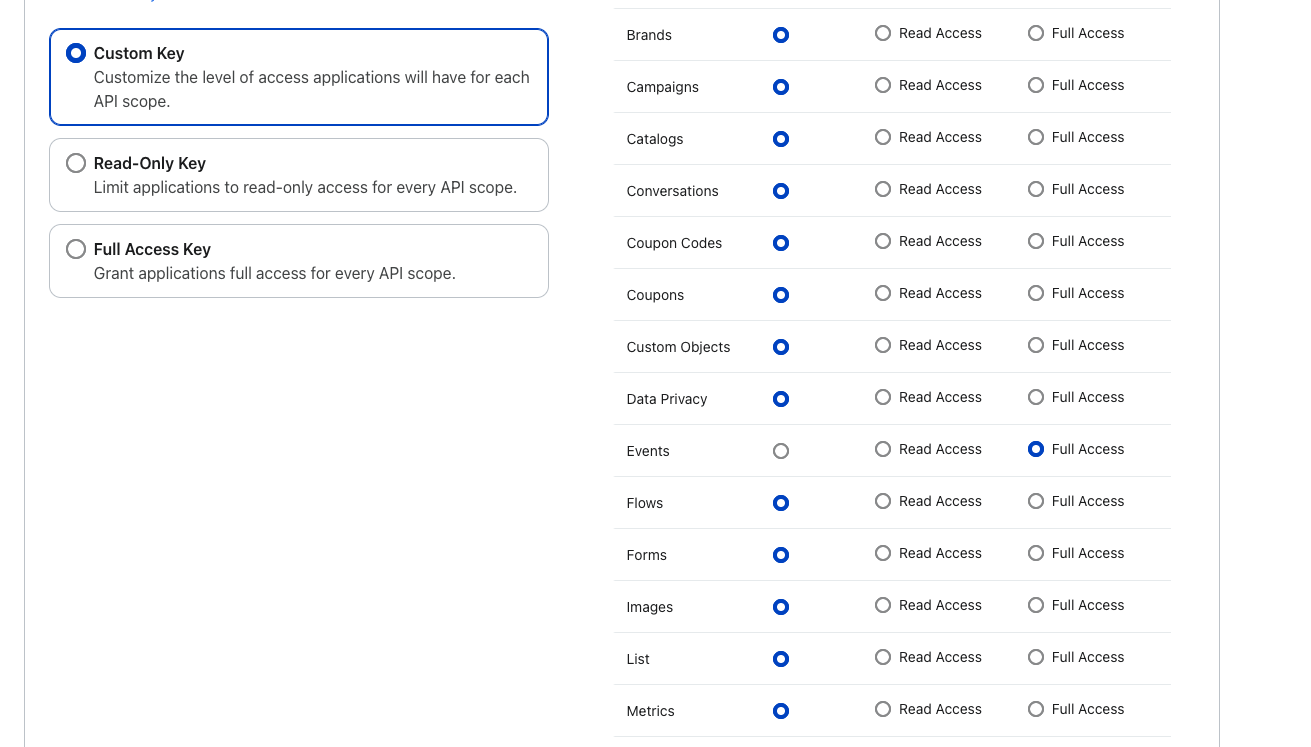
Give your API key a name.
-
Under the custom access options, set Events to Full Access.
-
Save and copy the API key.
-
In rePete, navigate to Settings.
-
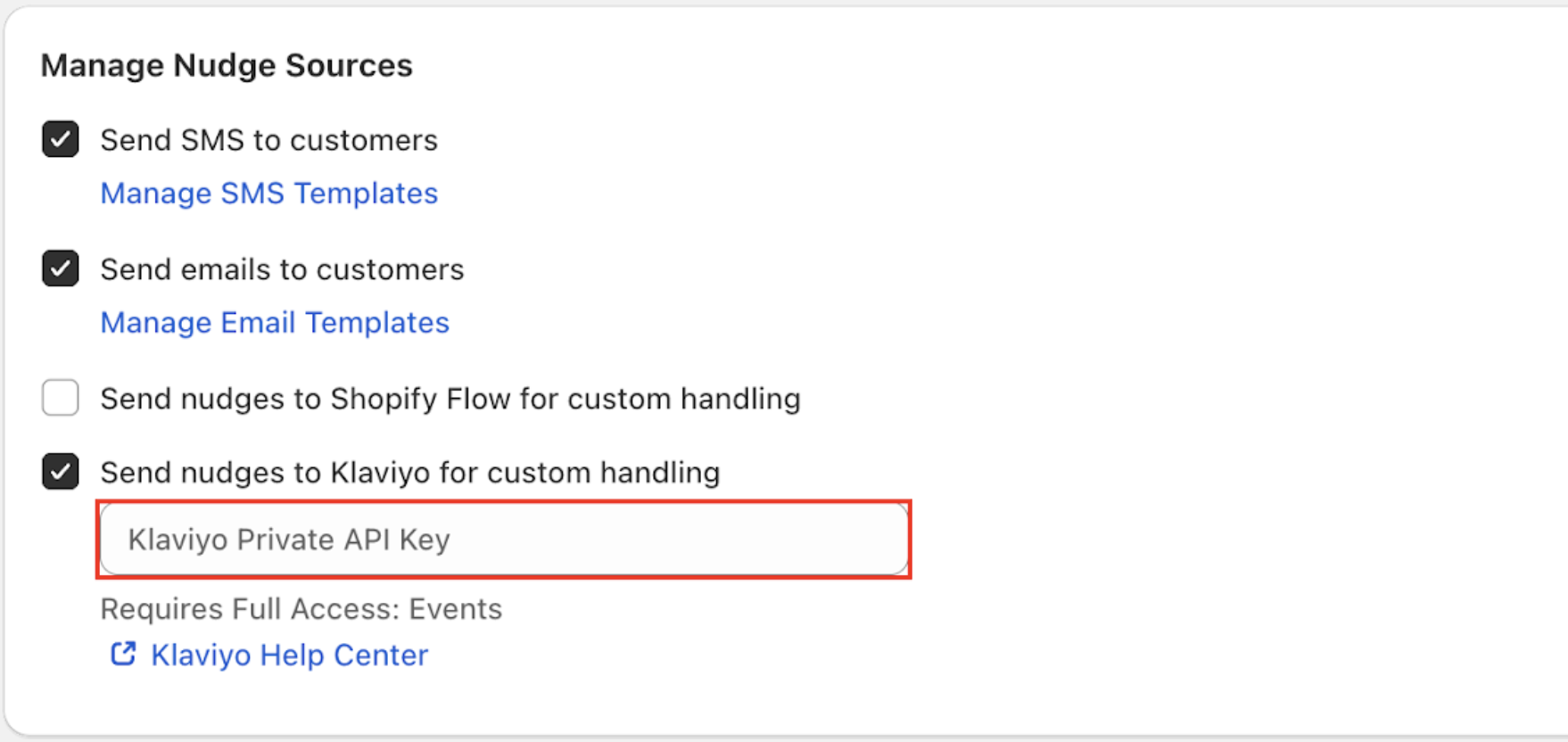
Under Manage Nudge Sources, enable Send nudges to Klaviyo for custom handling.
-
Paste the Client ID from Klaviyo into the Klaviyo Private API Key field.
-
Return to the Klaviyo admin and navigate to your Flows section.
-
Create a new flow and set rePete Notification as the trigger.
-
Set up your email or test campaigns as desired.