
Managing rePete Products
rePete identifies and imports products that customers may want to reorder. This happens both after initial onboarding is complete and as new products are added to your catalog. Qualifying products are imported as Standard rePete Products, making them eligible for nudge reminders.
rePete allows you to manage which products are eligible for reorder nudge reminders.
You can also add additional products to rePete as Standard Products. When you do, rePete nudges customers to reorder that same product after they purchase it.
Note: If you'd like to send nudges for a product that is different from the one your customer initially purchases, please visit Convertible Products for more information.
This article shows you how to add additional Standard Products to rePete and how to exclude products from rePete.
Add a Standard Products to rePete
To make additional products eligible for reorder nudges, please follow the steps below.
In rePete, go to Products.
Click Add products in the top right corner.
In the modal, select Standard Product.
In the product selector, check the box next to all products and variants you would like to include.
Click Select to confirm your choices.
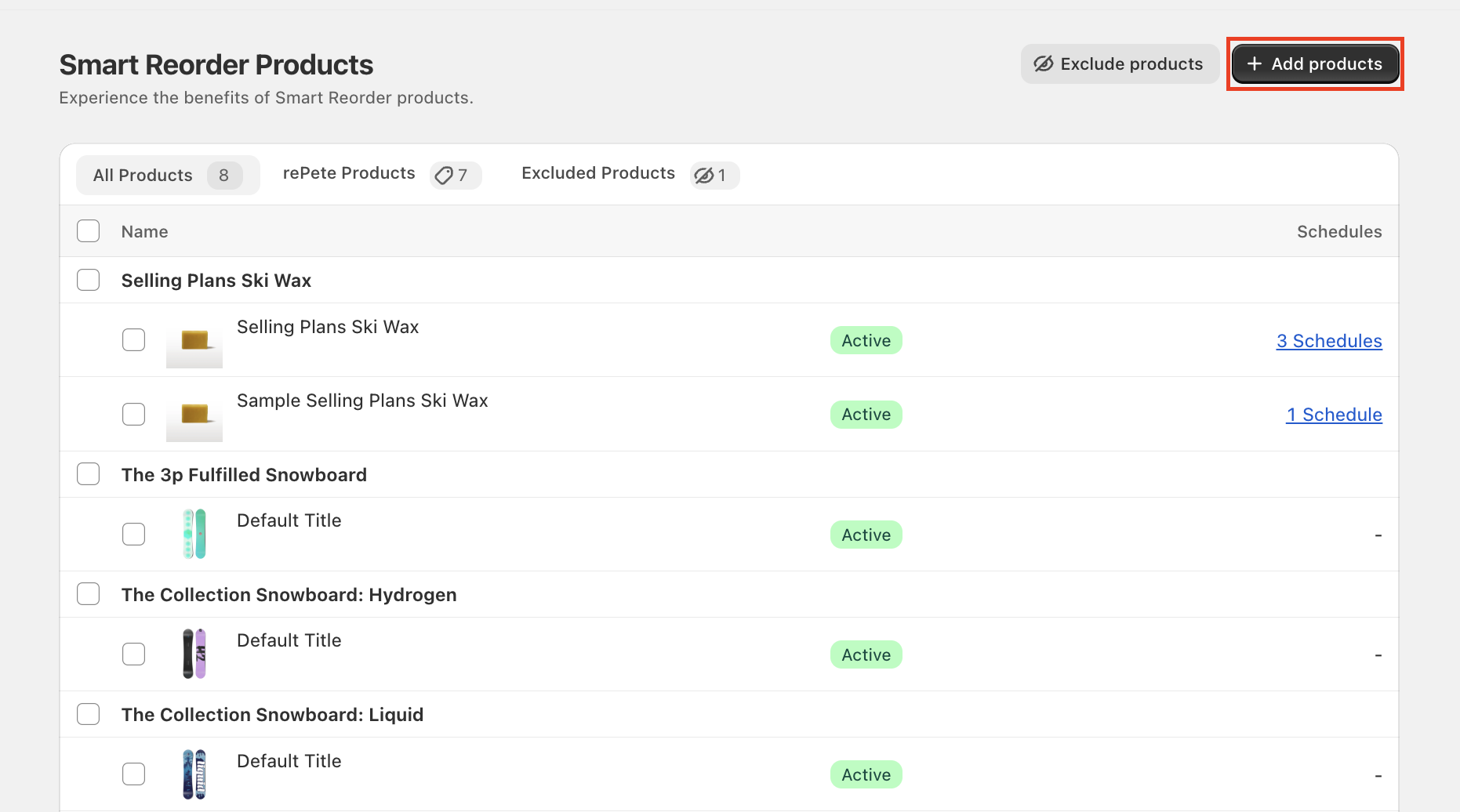
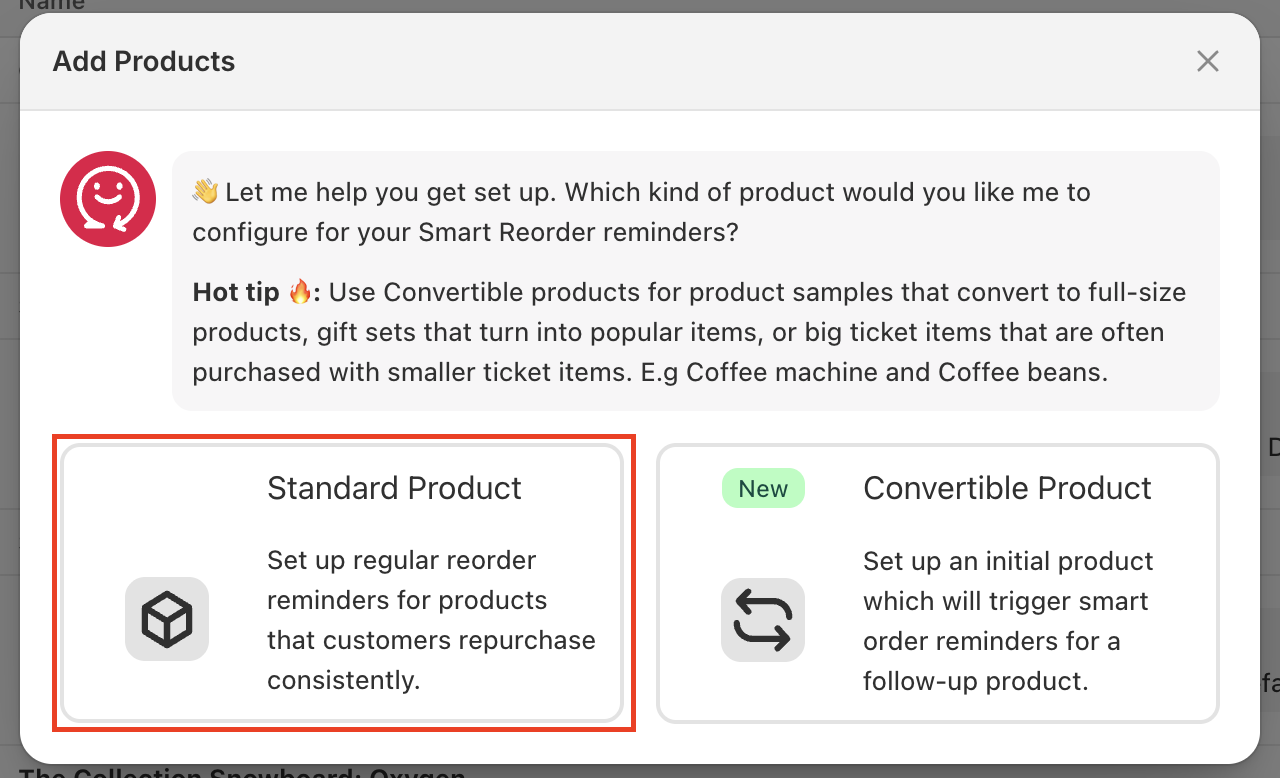
The products should now appear under the rePete Products tab on the admin Products page.
Exclude products from rePete
Only Standard rePete Products can be excluded using the instructions below. To remove or delete a Convertible rePete Product, please visit Convertible Products.
In rePete, go to Products.
Click Exclude products in the top right corner.
In the product selector, check the box next to all products and variants you would like to exclude.
Click Select to confirm your choices.