Managing SMS & Email Templates
rePete lets you customize the tone used in SMS and email reorder nudge reminders. Using AI, you can regenerate your templates and adjust the tone to better match your brand.
Template generation is currently available in English only.
Pro Tip: Need support for an additional language? Speak to a member of our Customer Success team to submit your request for review.
Setup
To generate new SMS or email templates using a new tone, please follow the steps below.
In rePete, go to Settings.
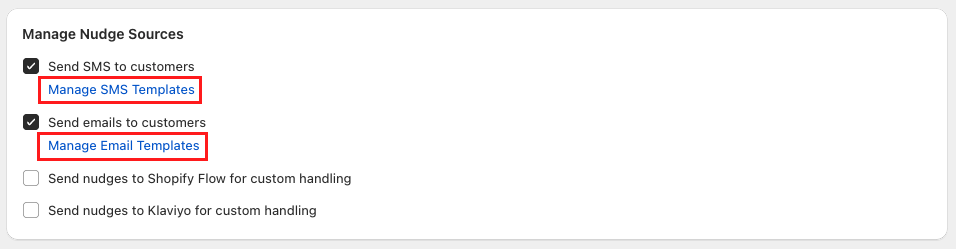
Under Manage Nudge Sources, click one of the following links based on the templates you want to update:
Manage SMS Templates
Manage Email Templates
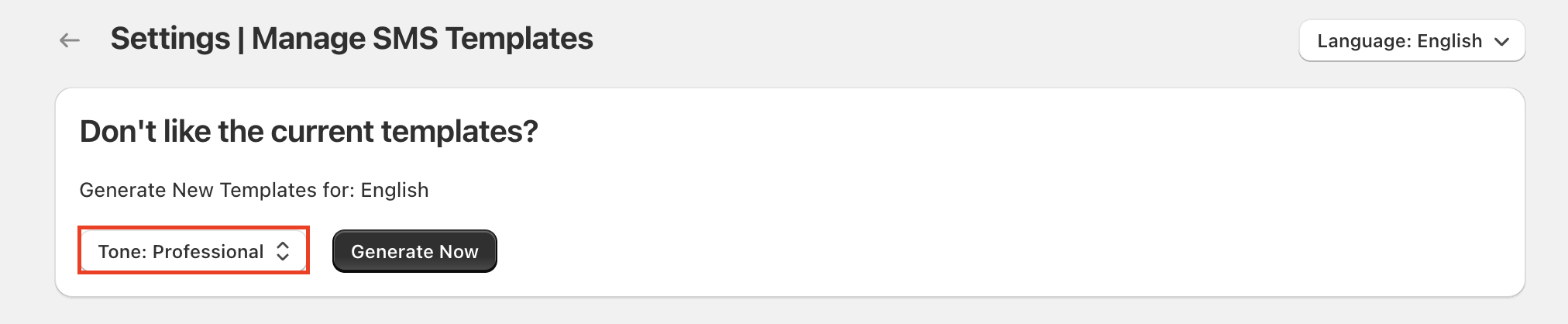
At the top of the page, locate the section labeled Don’t like the current templates?.
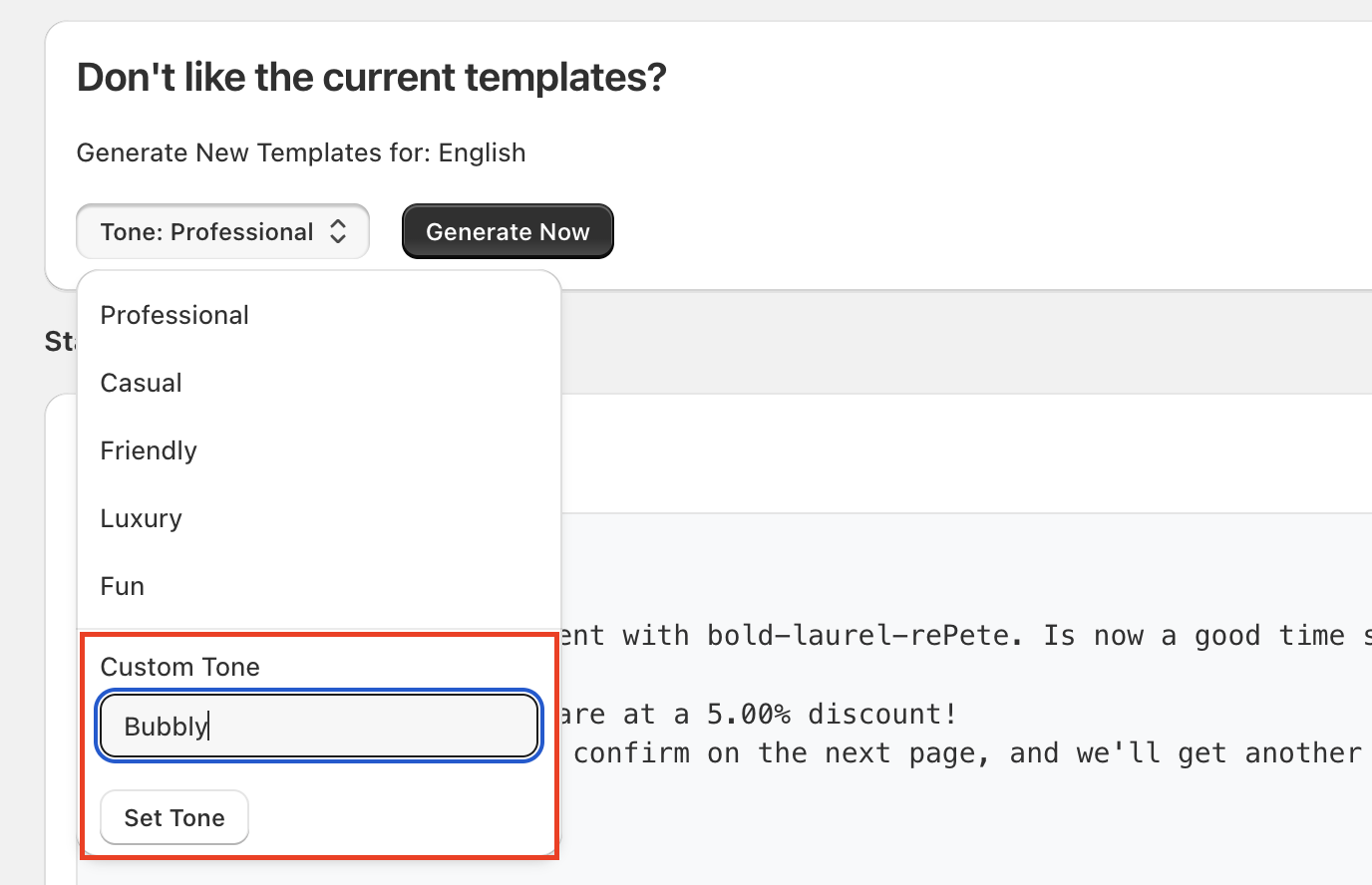
Use the Tone dropdown menu to select a predefined tone.|
To use a specific tone not listed, enter your desired style in the Custom Tone text field and click Set Tone.
Click Generate Now.
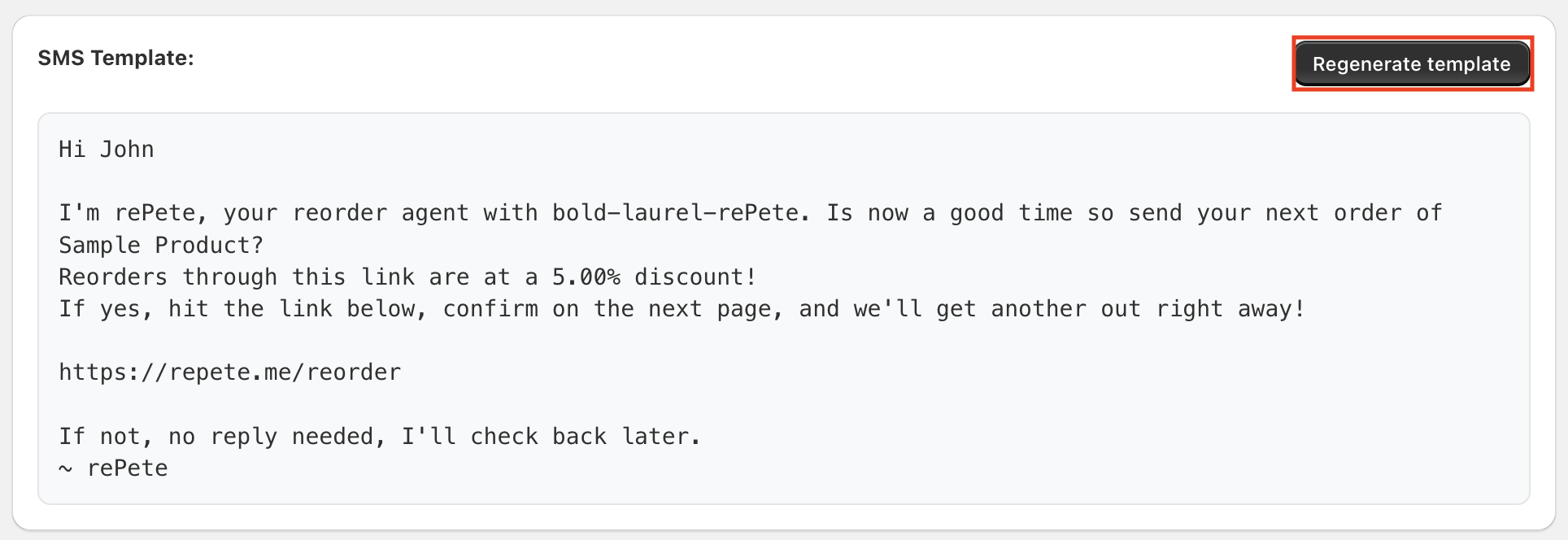
Review the drafts for each template.
Optional: Click Regenerate template on an individual template to generate a new version for that template only.
Click Save at the top of the page to apply the changes.
Note: If you want to revert your changes, click Discard.