
rePete Customer Portal
The rePete Customer Portal allows customers to view and manage the products that appear in their nudge reminders, control whether they receive nudges, place reorders, and more.
Customer experience
Customers can access the rePete Customer Portal by logging into their storefront account and clicking on the gear icon in the storefront rePete Widget.
From here, customers can perform the following actions:
View ordered rePete Products with prices (including discounts).
Reorder rePete Products.
Cancel Predicted Schedules (stopping reorder nudges).
View reorder count and order dates (including next suggested order).
Update the quantity of product offered in nudge reminders.
Update customer details and shipping information (schedules tagged One Click Reorder only).
Example
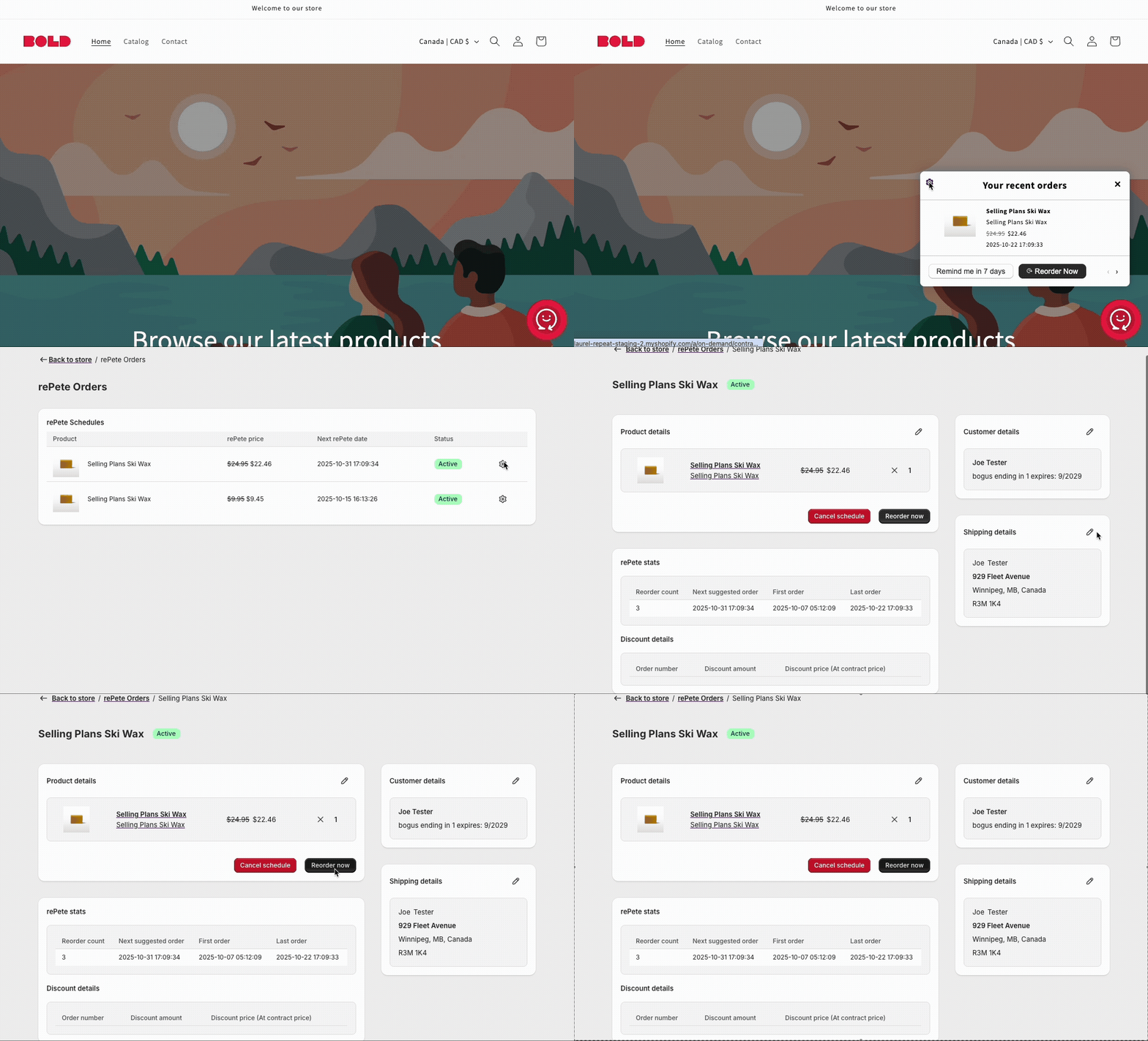
For step-by-step instructions on how customers can manage their own schedule details, please visit Predicted Schedule Management: Customer View.
Read more about the checkout experience in Order Experience & Channels Overview.