
Activate Bold Upsell
When you first open Bold Upsell, a guided setup checklist walks you through everything you need to start running offers on your store: choosing a plan, enabling the app in your theme, and creating your first offer. This article walks through each step in the checklist.
Step 1: Choose a plan
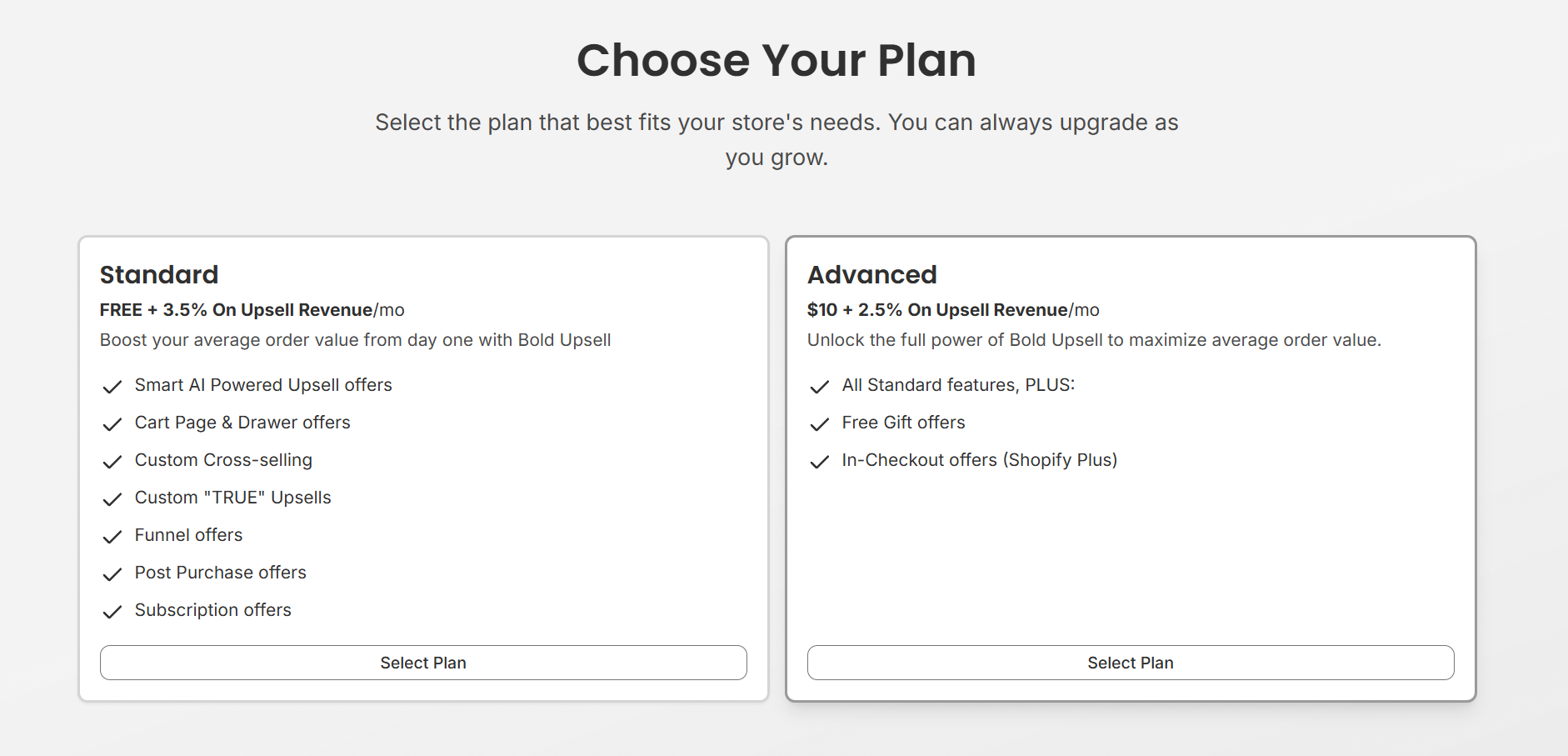
Bold Upsell offers several plans that scale with your store. The plan you choose determines which offer types are available to you. New stores start with a 14-day free trial on paid plans, and development and sandbox stores get all plans free.
Select a plan and approve the subscription in Shopify to continue. You can change your plan at any time from Settings.
Step 2: Enable the app in your theme
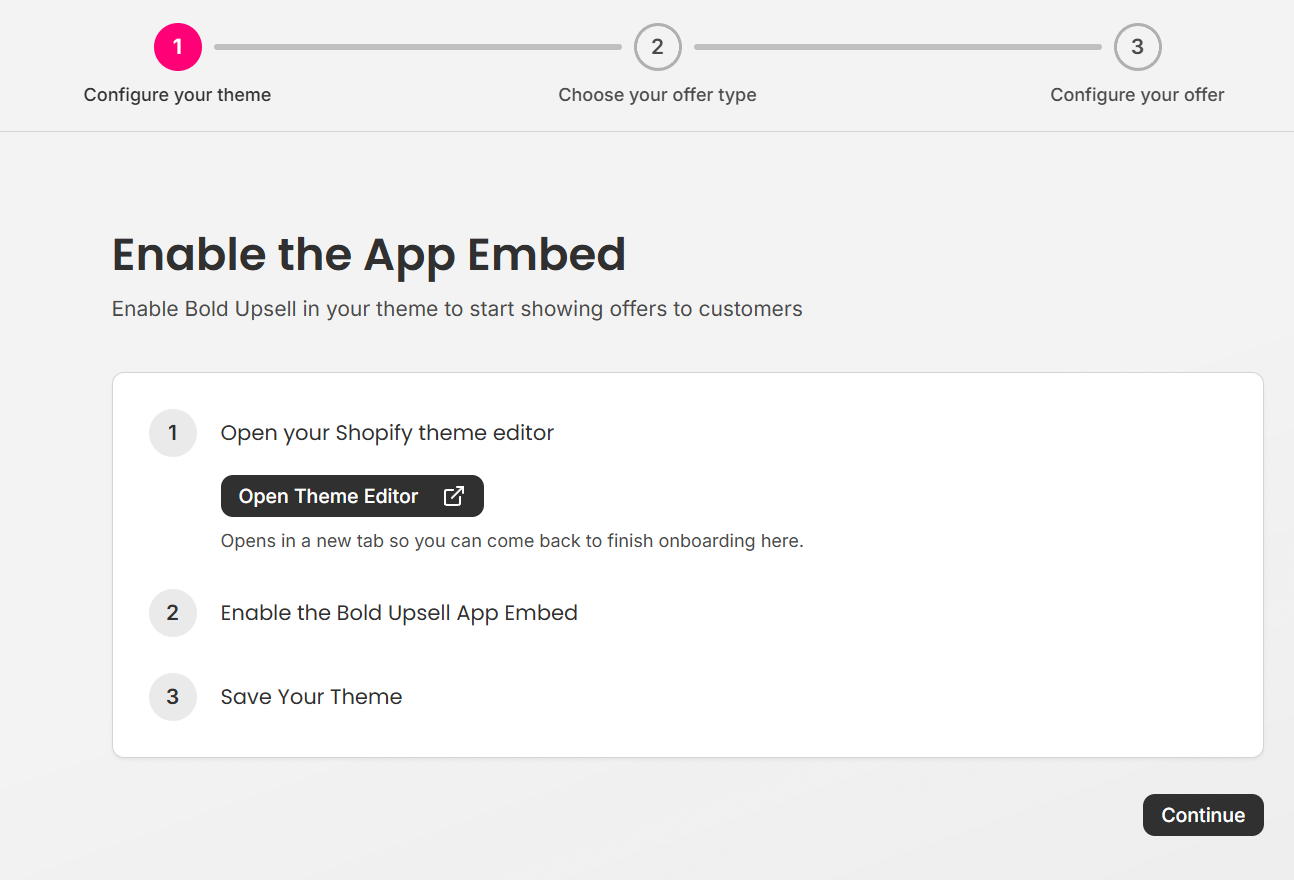
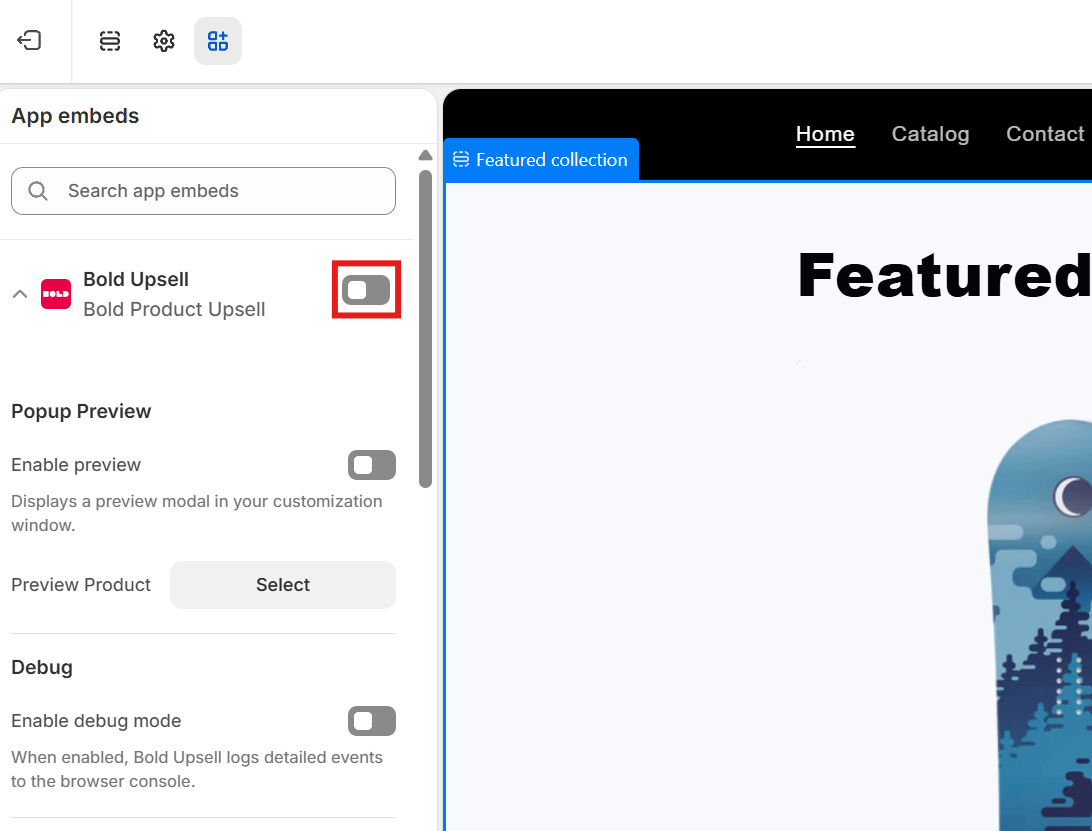
Bold Upsell uses a Shopify app embed to render offers on your storefront. The setup checklist opens your theme editor in a new tab with the Bold Upsell app embed pre-selected.
Toggle the app embed on, click Save, then return to the Bold Upsell tab. Once you are back in the app, click continue to get to the next step of your set up.
Note: Offers will not display on your storefront until the app embed is enabled.
Step 3: Create your first offer
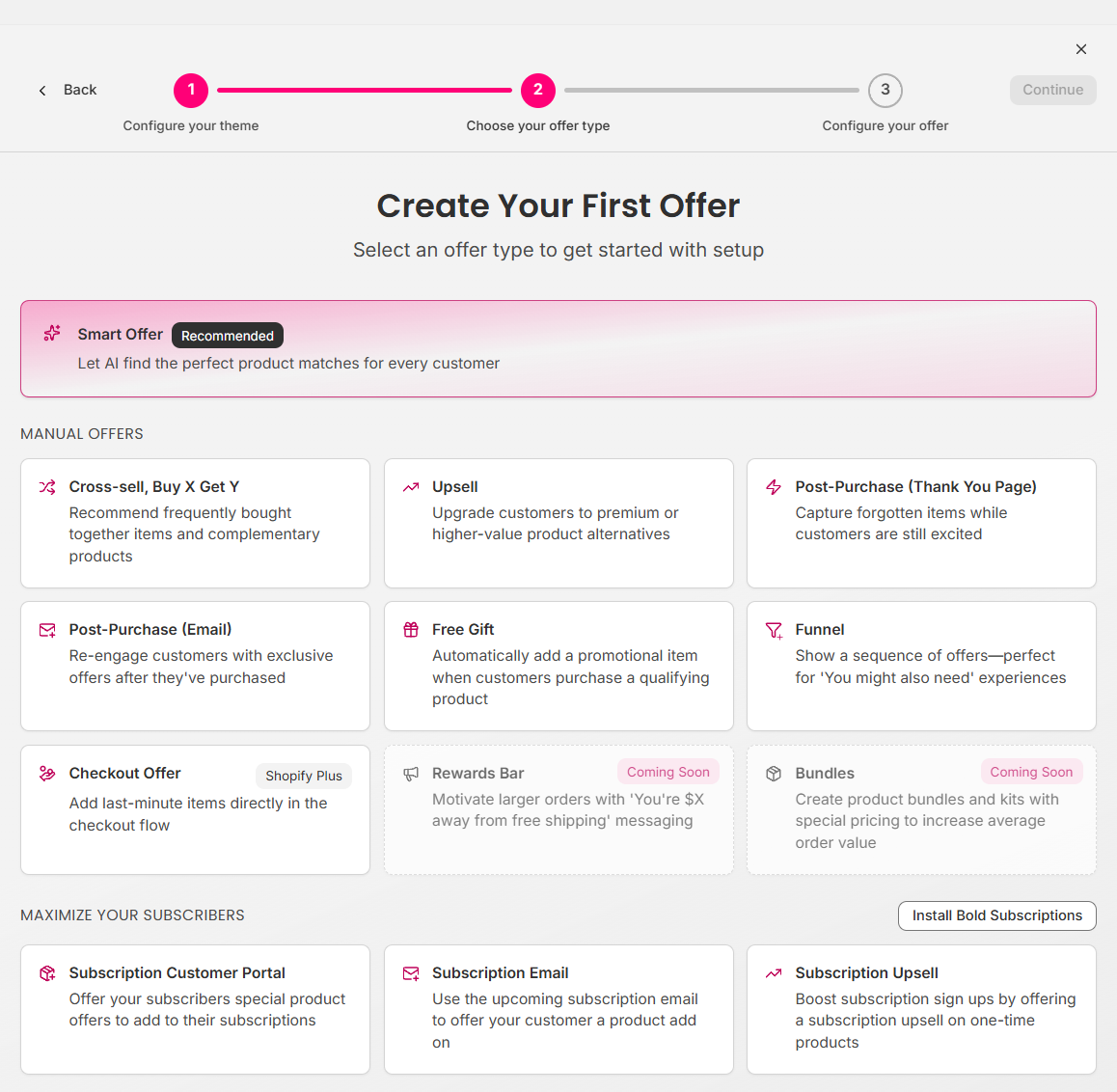
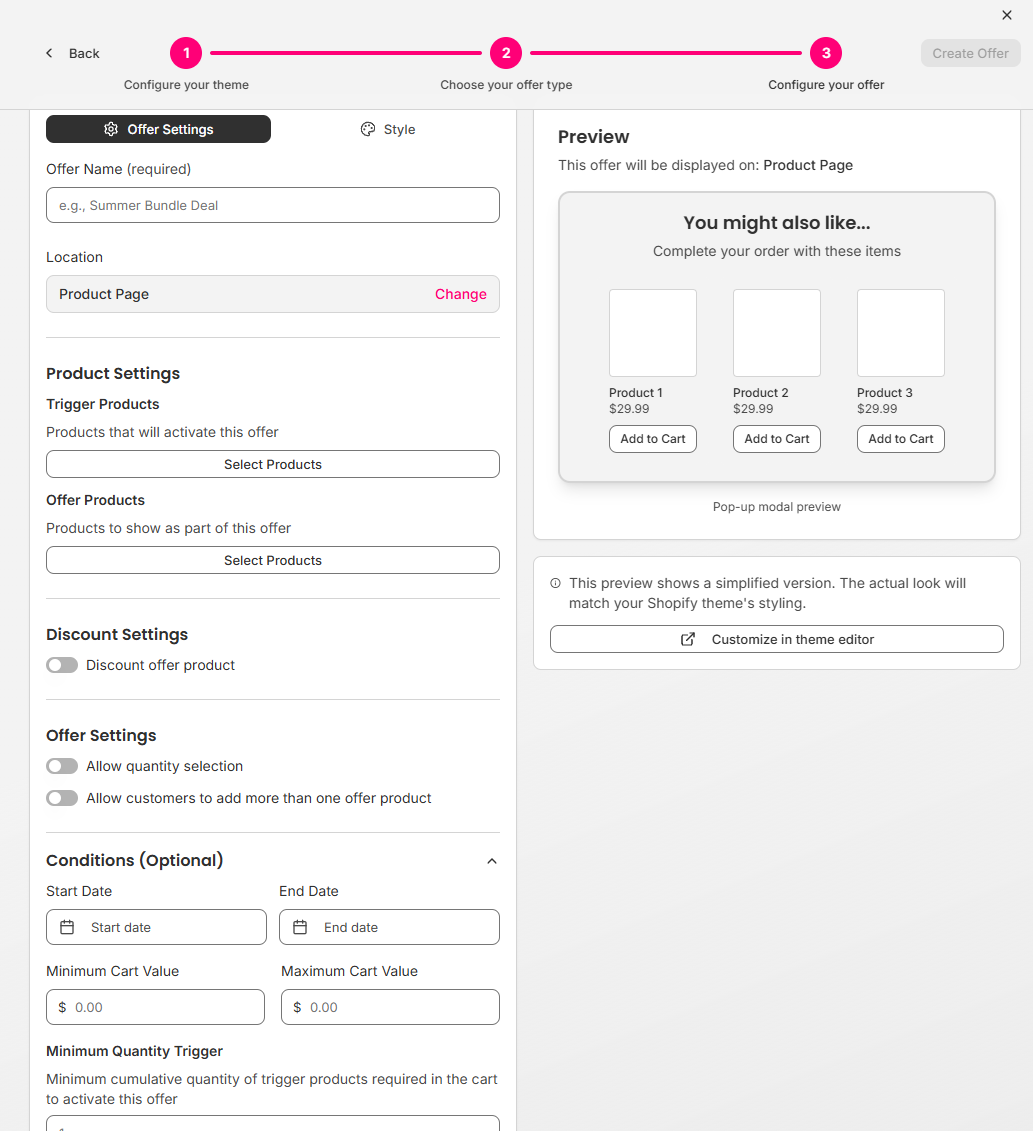
Choose which offer type you want to create. There are several different option available. After choosing your offer type, you can configure the specific settings available for that offer type.
Smart Offers (recommended) - Bold uses AI and your historical store data to automatically generate and run high-performing offers. Best for getting started quickly.
Manual offer - Build a specific offer yourself by choosing premade offer types, location, and configuration. Best when you have a specific promotion in mind.
What's next
Once your offers are live, you can:
Track performance from the dashboard.
Customize how offers look to match your brand.
Add more offers of any type. We recommend enabling Smart Offers if you haven’t already.