
Create a Customer Portal Offer
A Customer Portal offer lets you promote add-ons or upgrades to existing subscribers inside the subscription management portal. When a customer logs in to manage their subscription, they see your offer and can add the product to their next upcoming order in one click.
Before you start
Bold Upsell is installed and the app embed is enabled in your theme. See Activate Bold Upsell.
You have Bold Subscriptions installed, with at least one active subscriber and an upcoming order.
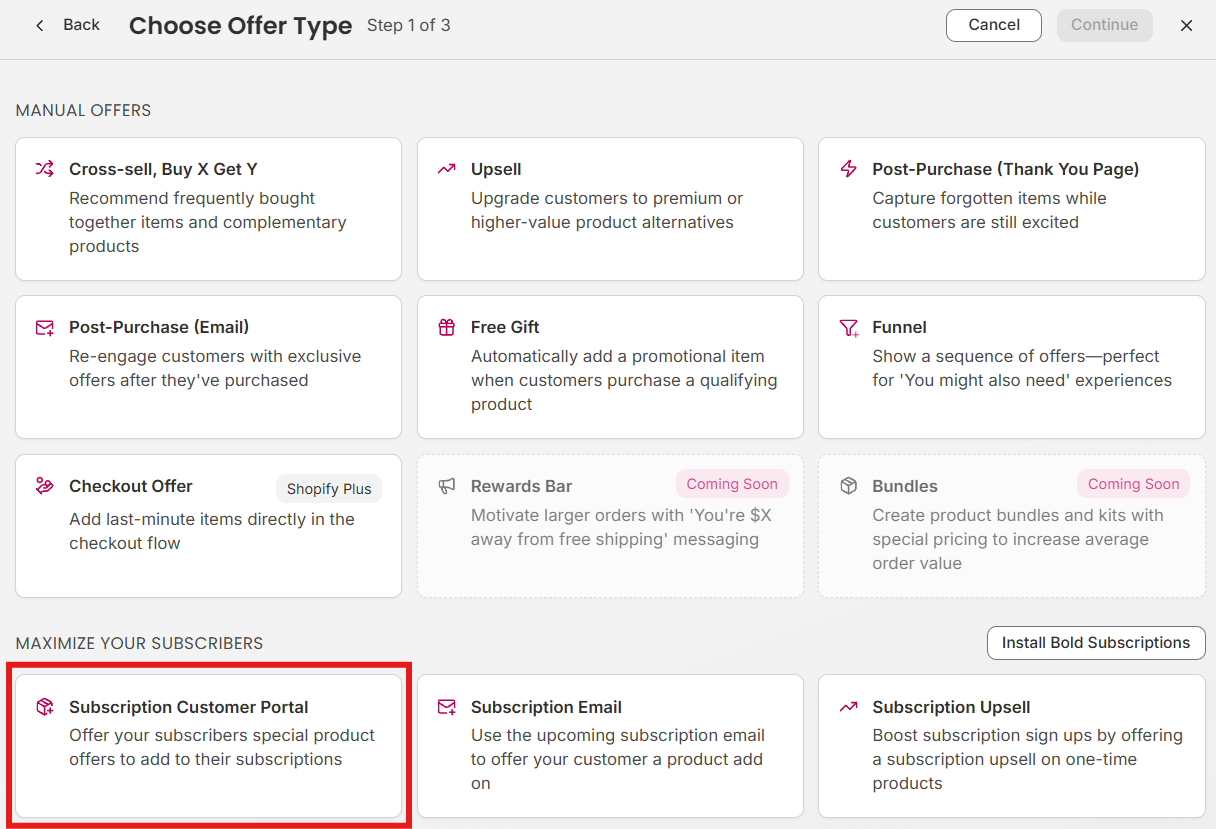
Step 1: Choose Customer Portal as the offer type
From the Bold Upsell admin, navigate to Manual Offers, click Create Offer, and select Subscription Customer Portal. This offer type has a preset location in the subscription management portal, so you do not need to choose a location.
Step 2: Configure the offer
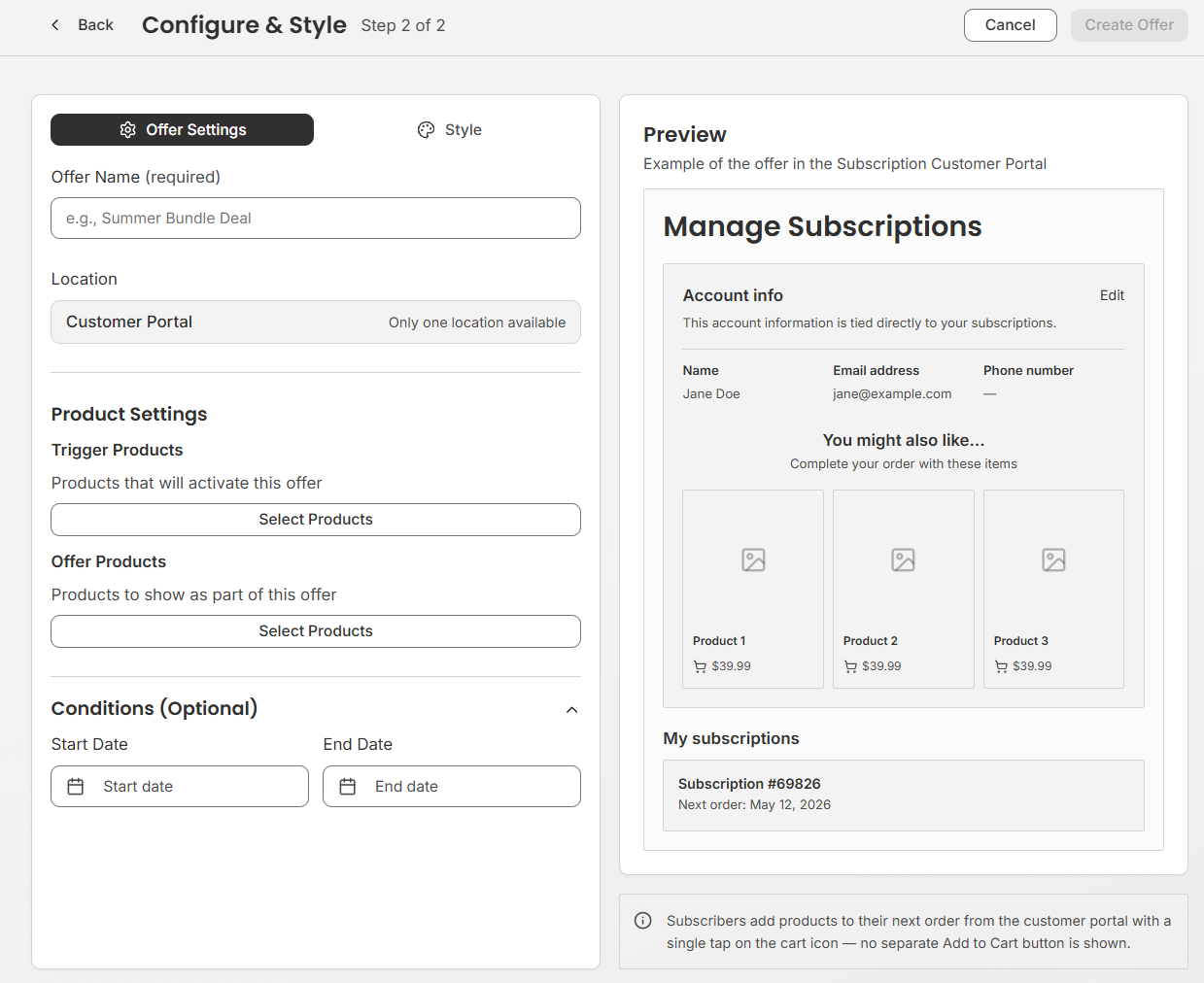
On the configuration page, set up what the shopper sees and when the offer appears.
Choose your trigger products
The trigger products determine which subscribers can see the offer in the portal.
Click Select products.
Choose one or more products, specific variants, or a collection.
Note: The selected products must be available as subscriptions to appear in the Subscription Customer Portal page.
Click Select.
Offer product
Select the products you want to promote inside the portal. Choose a product that complements what the customer is already subscribed to.
Optional: Add conditions
Conditions control when the offer is eligible to appear:
Date range - Run the offer only between a start and end date.
Step 3: Style the offer
Under Style, configure the title and description of the offer:
Write your title and description
Write a short, benefit-led title and a one-line description. Customize the call-to-action button text (for example, Add to next order).
Step 4: Save and publish
Review your settings and click Save. Then set the offer to Active to start showing it inside the customer portal.
Tips for high-performing Customer Portal offers
Offer products that pair naturally with the customer’s existing subscription.
Lead with products that naturally extend the subscriber’s routine.
Keep titles short and benefit-led, for example, Add a travel size to your next box.
Rotate the offer product every few weeks to keep the portal fresh for returning customers.