Set up Bold Upsell
Bold Upsell helps you increase your average order value with upsells, cross-sells, free gifts, post-purchase offers, in-checkout offers, subscription offers, and AI-powered Smart Offers. This article is a roadmap of everything you can set up in the app. Each section below is a quick overview that links out to a dedicated guide.
Pro-Tip: The first time you open Bold Upsell, the in-app onboarding walks you through the core setup steps automatically.
1. Install Bold Upsell from the Shopify App Store
Bold Upsell is installed like any other Shopify app. Search for Bold Upsell in the Shopify App Store, approve the permissions, and the app will appear in your Shopify admin under Apps.
Installing and setting up apps - Shopify Help Center
2. Enable the App Embed in your theme
Before any offers will show on your storefront, the Bold Upsell App Embed must be turned on in your active Shopify theme. This is a one-time setup done in the Shopify Theme Editor.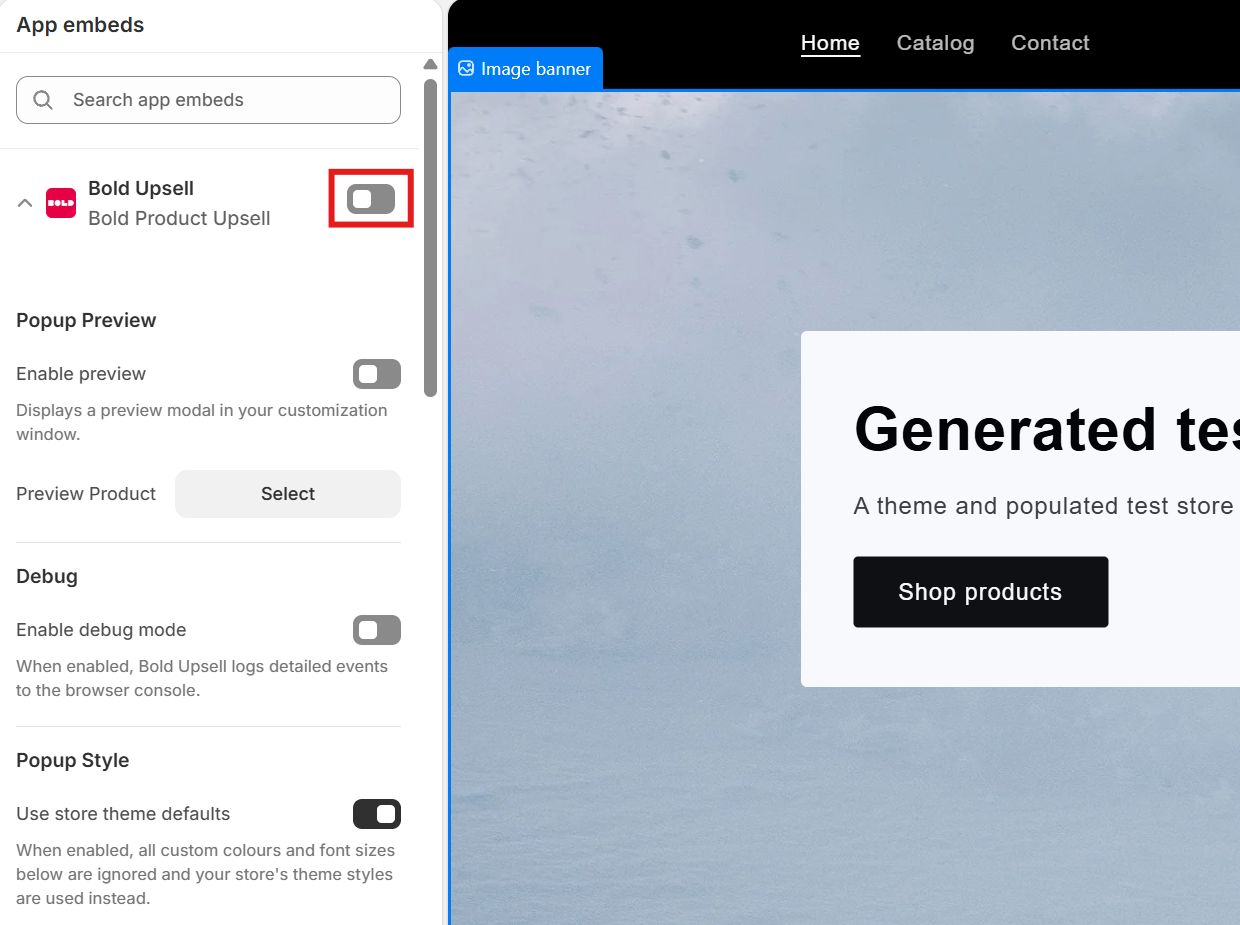
2. Create your first offer
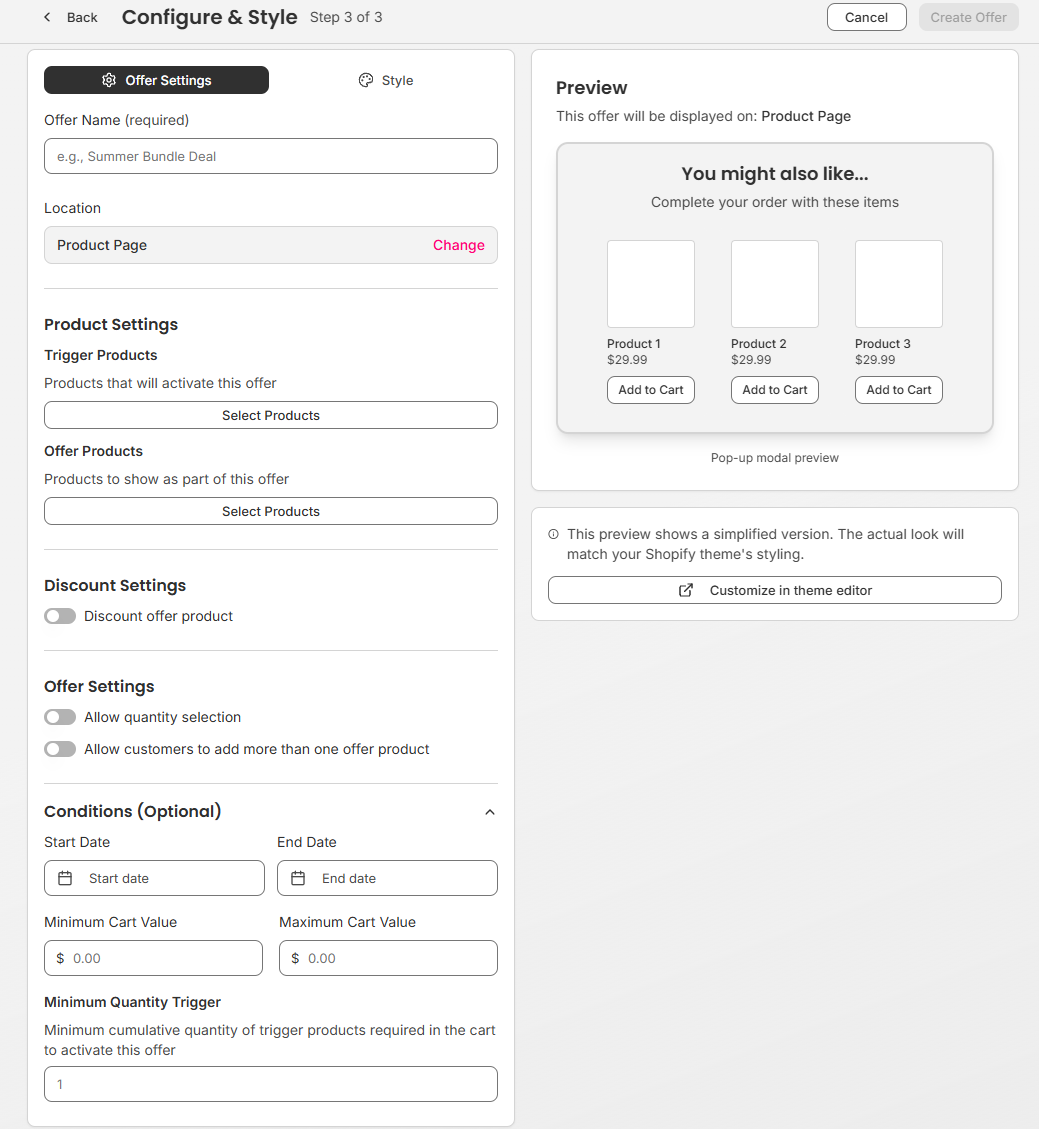
Inside Bold Upsell, click Create offer and follow the three-step flow: choose your offer type, choose where it will appear on your store, then configure the products, discount and messaging before publishing.
4. Offer types
Bold Upsell supports several types of offers. Pick the one that matches the customer behavior you want to encourage.
Upsell - Encourage shoppers to upgrade to a higher-value version of a product they are already buying.
Cross-sell - Recommend a complementary product alongside an item in the cart.
Free Gift (BOGO) - Automatically add a gift to the cart when shoppers meet a condition.
Funnel - Chain multiple offers together so the next one shows based on whether the previous offer was accepted or declined.
Post-purchase - Show an offer on the Shopify thank-you page after checkout is complete.
In-checkout - Surface an offer inside the Shopify checkout itself.
Subscription Upsell - Offer an upgrade to a subscription product.
Smart Offers (AI) - Let Bold Upsell automatically generate and manage cross-sell recommendations for your store using AI.
5. Styling your offers
Bold Upsell automatically inherits your theme’s fonts, colors, and button styles so offers match the look and feel of your store out of the box. If you want to change how offers look, edit your theme in the Shopify Theme Editor and Bold Upsell will pick up those changes.
6. Review performance
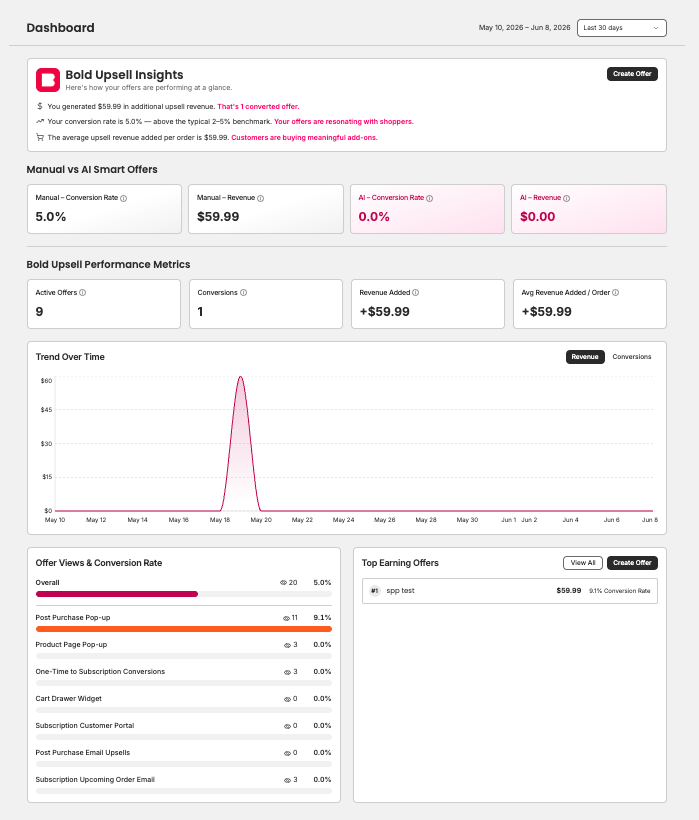
The Bold Upsell Dashboard breaks down how each of your offers is performing so you can see what is working and where to improve.