The “No Thanks” Button Isn’t Showing in the Upsell Window
If the No Thank You button isn't showing up in the Upsell window, please follow these steps to fix it:
From the Shopify admin, navigate to Sales channels > Online Store > Themes.
Click the ellipsis next to your desired theme and click Edit code.
Under Assets, select your theme's main CSS file.
Note: This varies by theme and could be something like theme.scss.liquid.
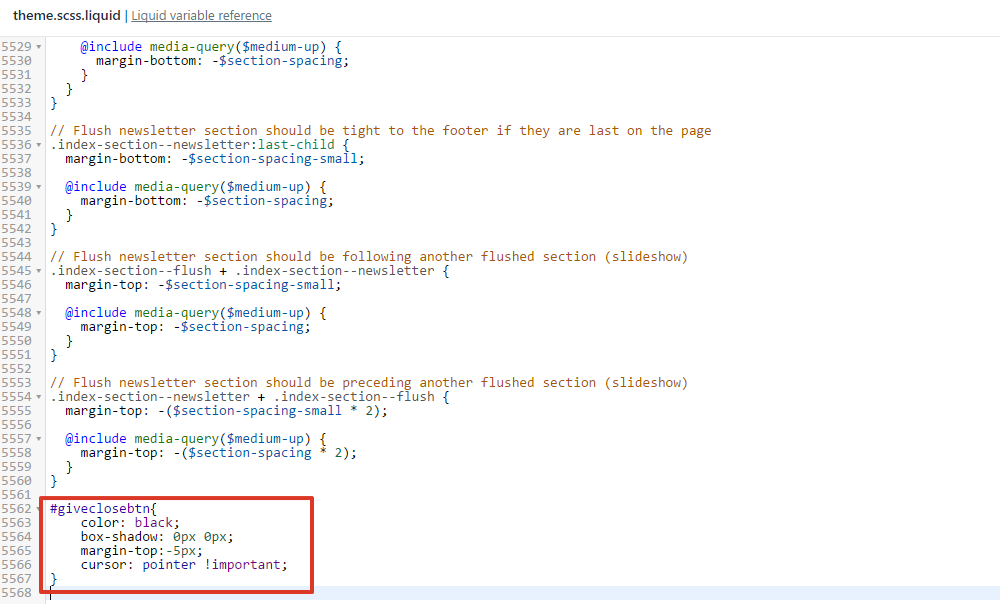
Add this code to the bottom of the file:
#giveclosebtn{
color: black;
box-shadow: 0px 0px;
margin-top:-5px;
cursor: pointer !important;
}
Select Save.