
Quantity Breaks Overview
Quantity Breaks allow you to offer volume-based discounts to your customers. These discounts are applied based on how many products your customers purchase.
You can create various quantity discounts for specific customers using customer tags, or make quantity breaks discounts available to all customers.
Functionality
Custom Pricing displays a grid on your product pages that outlines your quantity discounts. This grid is customizable and is displayed on each product page that has an associated Quantity Break discount.
Example
Product page
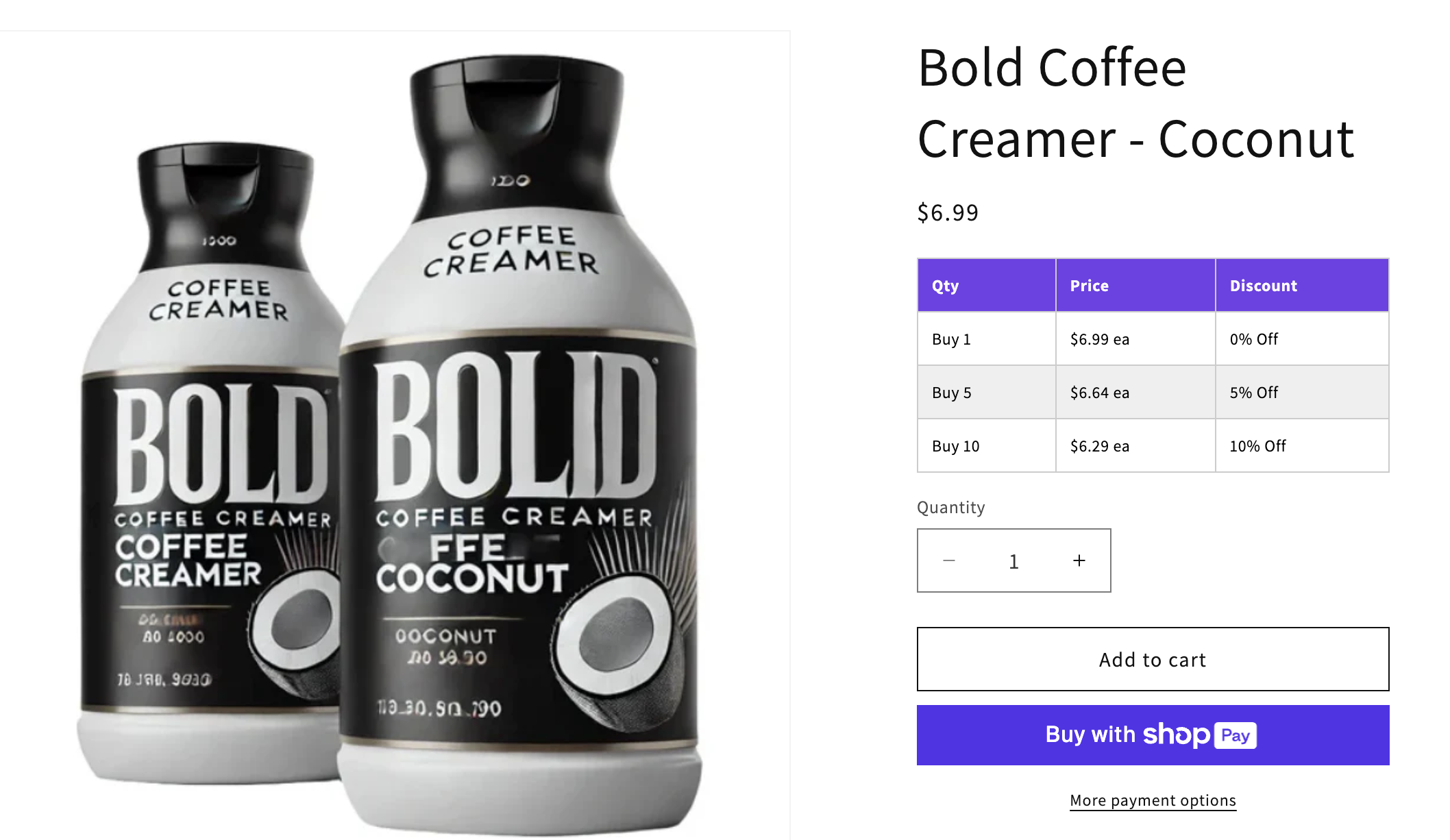
Customers automatically receive a discount when they add the required number of products to their cart.
Example
Cart page
Features
Customers can qualify for Quantity Breaks discounts by purchasing multiples of your products in one of three different ways:
Apply Customer Quantity Pricing per individual variants - Customers need to purchase multiples of the exact same variant in order to receive a quantity-based discount. Example: 5 large-size red shirts.
Apply Customer Quantity Pricing per product - Customers need to purchase multiples of the same product (any variant) in order to receive a quantity-based discount. Example: 5 red shirts.
Mix & Match - Customers can purchase multiples of any products with the same Mix & Match label to receive a quantity-based discount. For example, two products from Group A, and three products from Group B that both use the XYZ Mix & Match label.
Discounts can be calculated by percentage off, amount off, or with a new fixed price.
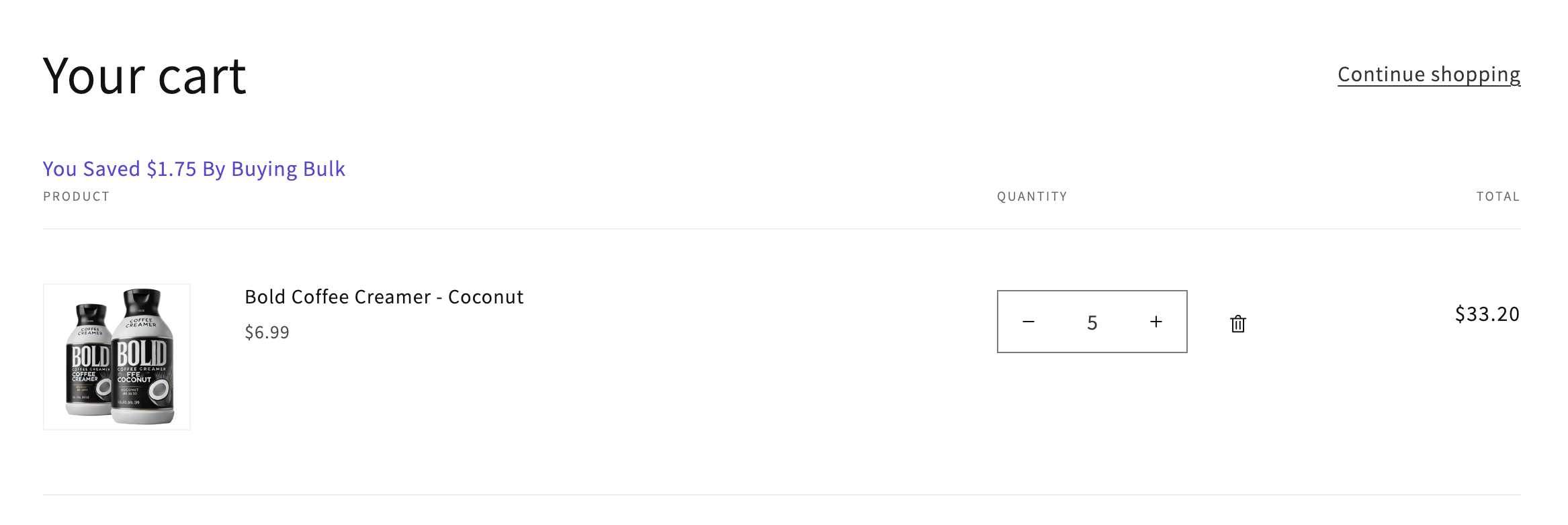
You can customize the language and appearance of the grid on the product page and in the savings banner in the cart page. For more information, please visit Customize the Quantity Break display.
Creating Quantity Breaks
You can create quantity breaks using Product Pricing Groups or Detailed Pricing.
By default the discounts in Detailed Pricing override the discounts set in Product Pricing Groups and Tags (if using the the Apply discount storewide setting on the Manage Tags page).
Example
If you have a discount of 10% off in a Product Pricing Group, and discount of 15% off in Detailed Pricing for the same product, the 15% off discount will apply.