
Shopify Customer Accounts - Customer Portal Extension
You can now add the Customer Portal full page extension to your Shopify Customer Accounts page, allowing customers to easily manage their subscription in the native Customer Accounts page on your Shopify store.
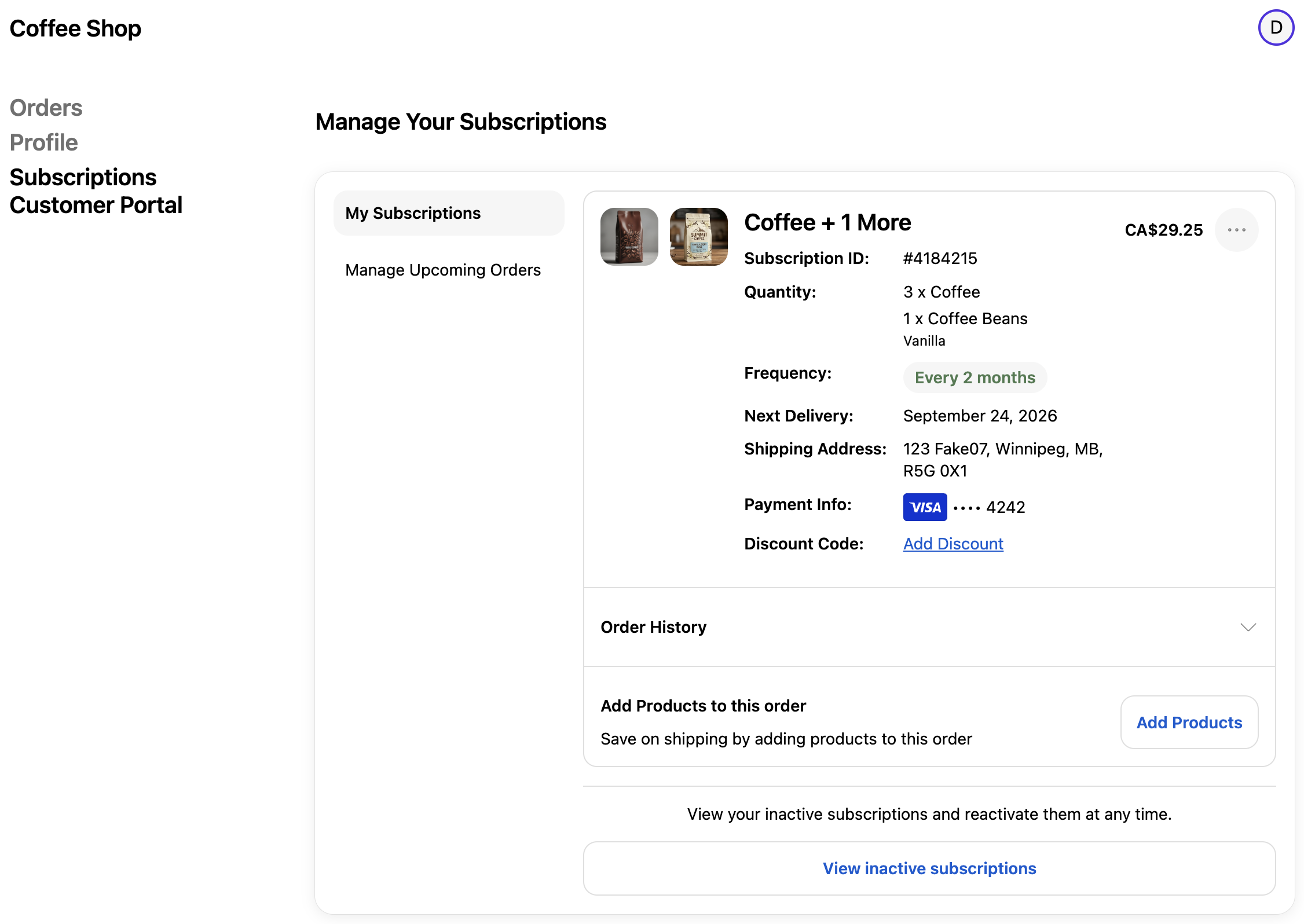
To add the Customer Portal extension to the Customer Accounts, follow the steps below:
Open the Shopify Admin for your store
Customize your current theme
Use the drop down at the top of the page (it initial shows Home page), select Checkout and customer accounts
Click on the App icon in the top left
Click the + sign by the Customer Portal option
Click Accounts
Review the preview of the Customer Portal full page extension
Click Save in the top right
Click Exit in the top left
Click Exit again in the top left to return to Shopify Admin
After adding the full page Customer Portal extension you need to add the menu item within the Customer Accounts page.
Click Content
Click Menus
Click Customer account main menu
Click Add menu item
Give it a label like: Subscription Customer Portal
Click in the Link field and scroll down to Apps
Click Apps
Click Customer Portal
Click Save in the bottom right