
Buy Now Links in Subscriptions for Shopify Checkout
Buy Now links allow you to sell subscriptions anywhere you can share a link, such as external websites, social media, or email. Buy Now links allow your customers to quickly and easily purchase a subscription by sending them straight to your store's checkout with a preselected subscription product of predetermined frequency and quantity.
This helps drive sales by reducing the number of steps it takes to purchase a subscription on your store.
This article provides step-by-step setup instructions and outlines some helpful use cases for Buy Now links.
Video Walkthrough
Use cases
Buy Now links can serve a variety of purposes. The following examples provide some ideas:
Sell your subscription products on external websites such as a blog or a social media page.
Create unique marketing content like marketing emails and promotions that focus on a single subscription product.
Help a customer who is having trouble navigating your store.
Prerequisites
To generate a Buy Now link, your product must belong to an active subscription group with standard or prepaid options.
To see how to set up a subscription group, please visit either of the following articles:
Setup
To generate a Buy Now link, please follow the steps below.
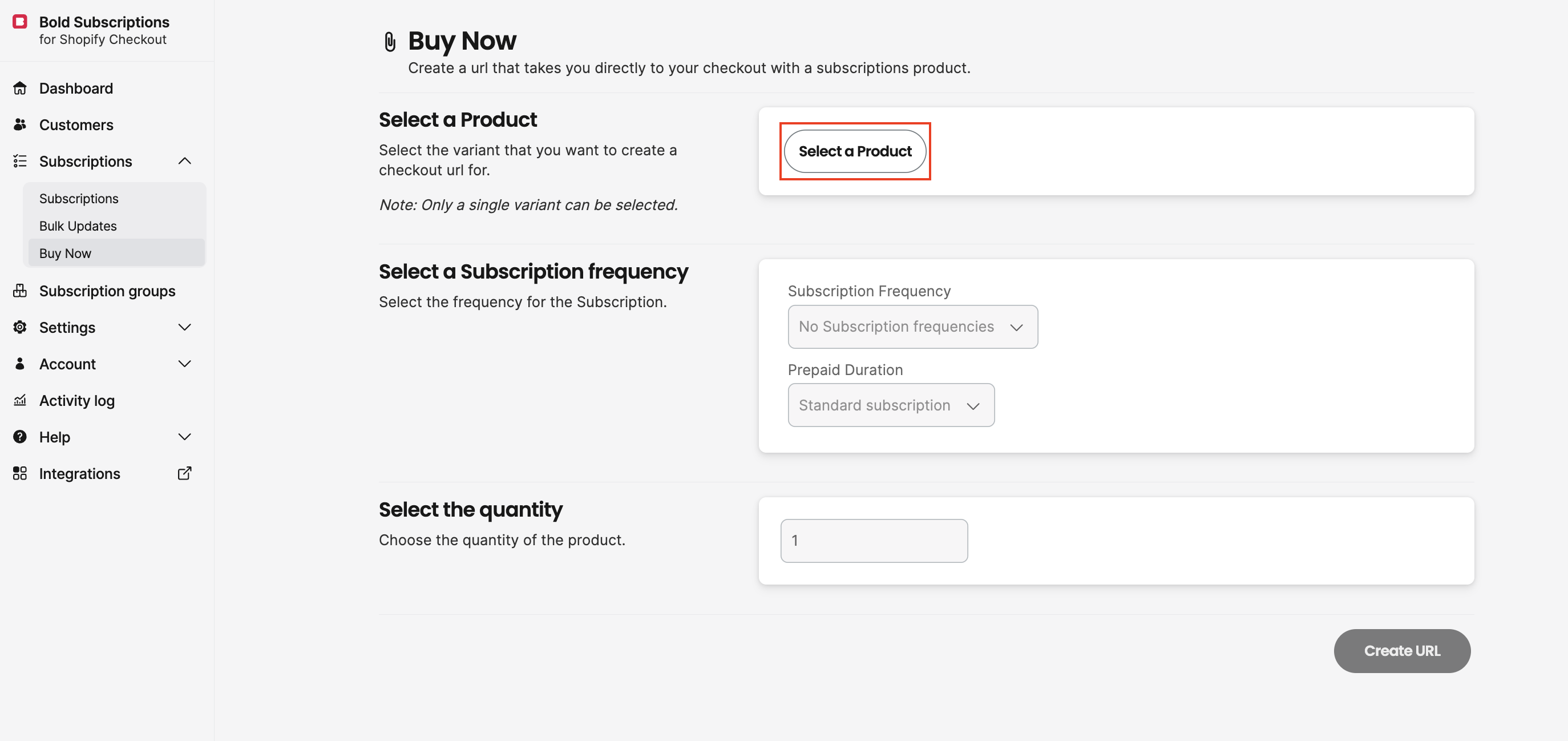
From within Bold Subscriptions, navigate to Subscriptions > Buy Now.
Click Select a Product.
Select your desired product or variant (if applicable).
Note: Only one product without variants or one variant can be selected.
Click Confirm.
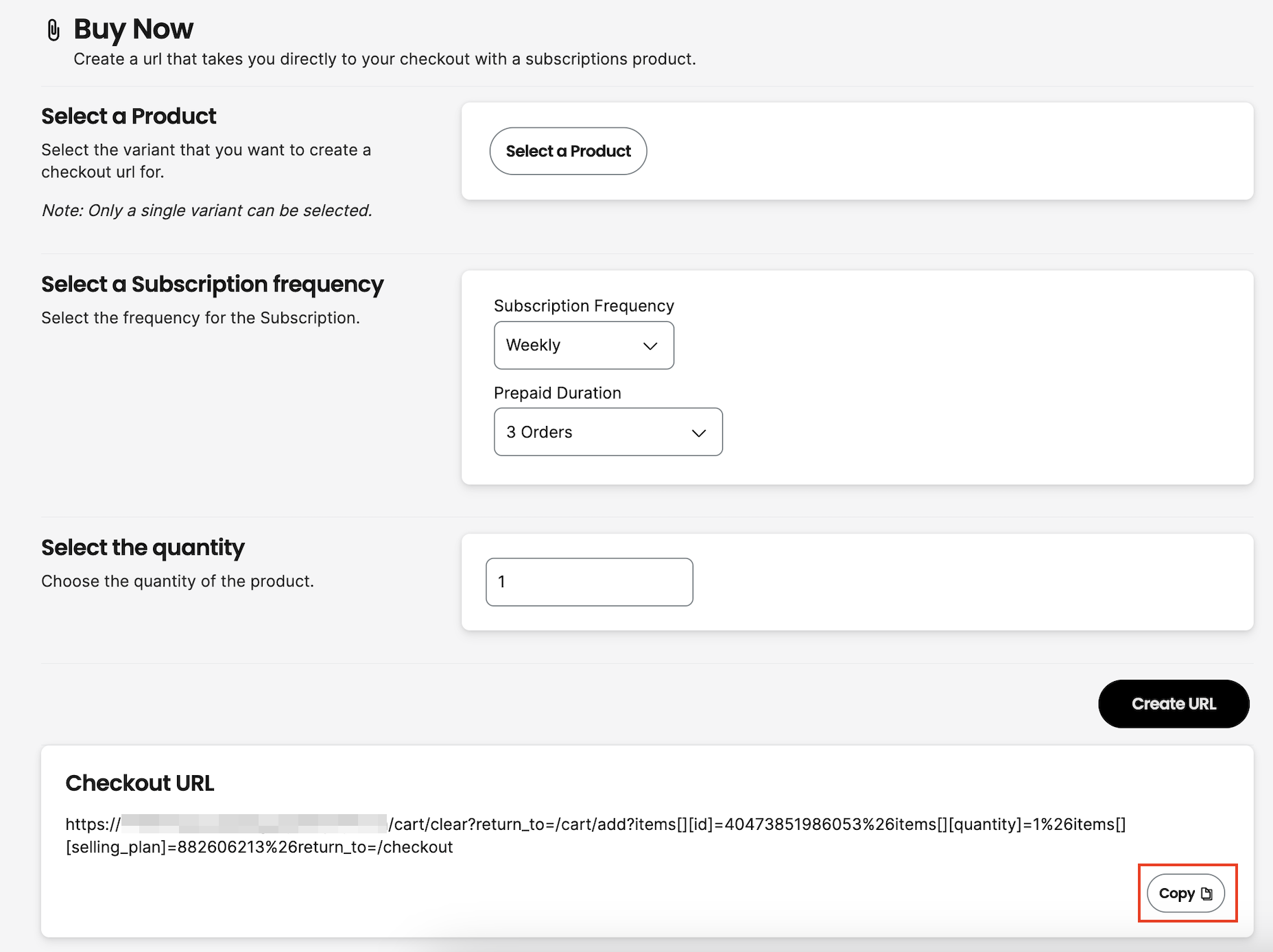
Select a Subscription frequency.
Select a Prepaid Duration (if applicable).
Note: If your product does not have prepaid subscription options, the Prepaid Duration selector defaults to the standard subscription option.
Enter a quantity.
Click Create url.
Click Copy to save the link to your clipboard and use where desired.
Important considerations
Buy Now links are not available for one-time purchase products or for tracking affiliate URLs / links.
Buy Now links are not compatible with Convertible Subscriptions.
Customers are not able to select a frequency, quantity, or different product/variant when using the Buy Now link. These are all predetermined by you when creating the link.
The redirection cannot be changed with Buy Now links. Buy Now links can only direct customers into the Shopify checkout.
Buy Now links can be used multiple times, as long as the product belongs to the active subscription group.
If the subscription group containing the product is deleted or disabled the link will no longer work. If the group is re-enabled, you will need to create a new link.